How to Make a YouTube Thumbnail From Your Video With AI
You have spent hours on the video. Then comes the thumbnail, and suddenly you are scrubbing through the timeline looking for a frame where nobody is blinking, opening an editor, guessing at fonts and colours. The thumbnail is the first thing a viewer sees, yet it often gets the least time.
There is a faster way that also tends to look more honest: start the thumbnail from the video itself. The faces, the outfits, the setting and the big moment are already there. This guide shows how to turn your own video into a finished YouTube thumbnail with AI — from a YouTube link or from the file before you publish.
Why start from the video instead of a blank prompt?
Describing a thumbnail from scratch works, but it has two weak spots. The AI invents people who don't look like you, and the picture can drift away from what actually happens in the video. Starting from the video fixes both:
- The real people. Your face, your guest, your outfit — not a stranger the AI imagined.
- The real moment. The thumbnail shows something that is genuinely in the video, so the viewer who clicks gets what they were promised.
- Less guesswork. AI can watch the video and suggest the moments, hooks and taglines, so you choose instead of inventing.
Step by step: from your video to a thumbnail
We'll use Tooljin's AI Thumbnail Maker, which has a From your video mode. It is part of Tooljin's Pro and Business plans.
1. Give it your video
Open the thumbnail maker in video mode and do one of these:
- Paste a YouTube link. The video has to be public. AI reads the first ten minutes of it.
- Choose the video file. This is the one to use before you publish, or for private videos. Your browser takes 16 small frames from the video and only those are sent — the video itself stays on your device.
2. Let AI read it
Tap Read the video. In under a minute you get a short brief:
- a one-line summary of the video,
- the best moments with their times,
- hooks and taglines written in your video's language — Hindi videos get Hinglish in Roman script,
- the styles that suit this particular video, already picked for you.
Reading a link costs 50 credits; reading a file costs 10.
3. Pick the moment
Tap a moment to see its picture. With a file, the matching frame is chosen instantly. With a link, AI makes a clean picture of that moment — the first moment comes with the brief, and each other moment costs 25 credits the first time you open it. Whichever picture you pick is what the faces and the scene are built from.
4. Choose up to three styles
You get one thumbnail per style, so picking three gives you three different takes to compare. There are eight looks tuned for video thumbnails, plus 118 more from the style library — anime, comic pop-art, neon, noir and many others.
5. Text, logo and size
- Text: let AI write it from your title, tagline and hook (edit them first if you like), or choose No text and add your own later.
- Logo: upload your channel logo once and pick a corner. It is added to every thumbnail automatically.
- Size: 16:9 for regular videos, or 9:16 for a Shorts or Reels cover.
6. Generate, compare, download
Pick a quality tier — Bolt (50 credits), Blaze (75) or Apex (125, Google's Nano Banana Pro, the sharpest text) — and generate. Check each thumbnail at real YouTube feed size, then download the one that reads best.
A real example: one music video, three styles
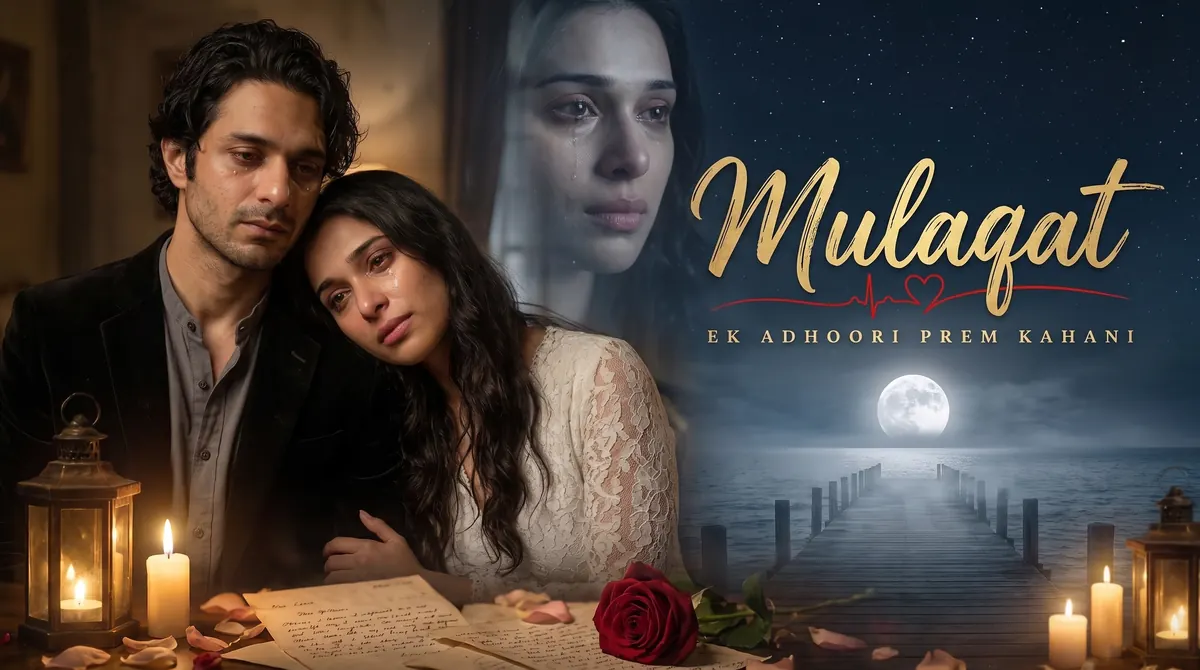
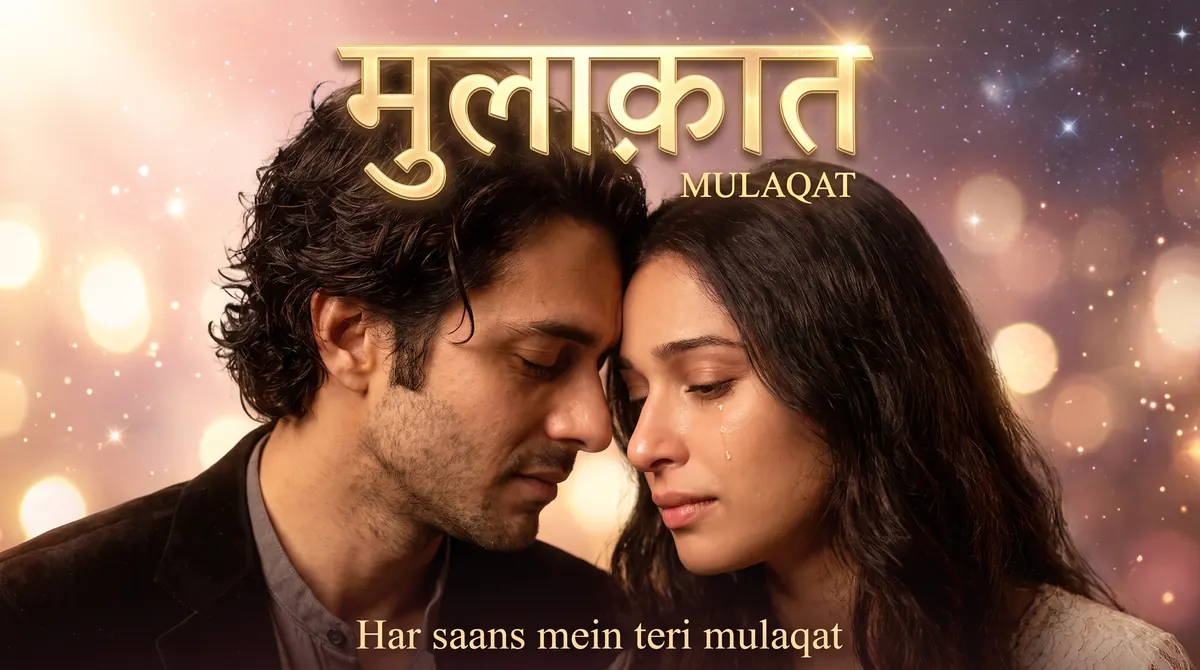
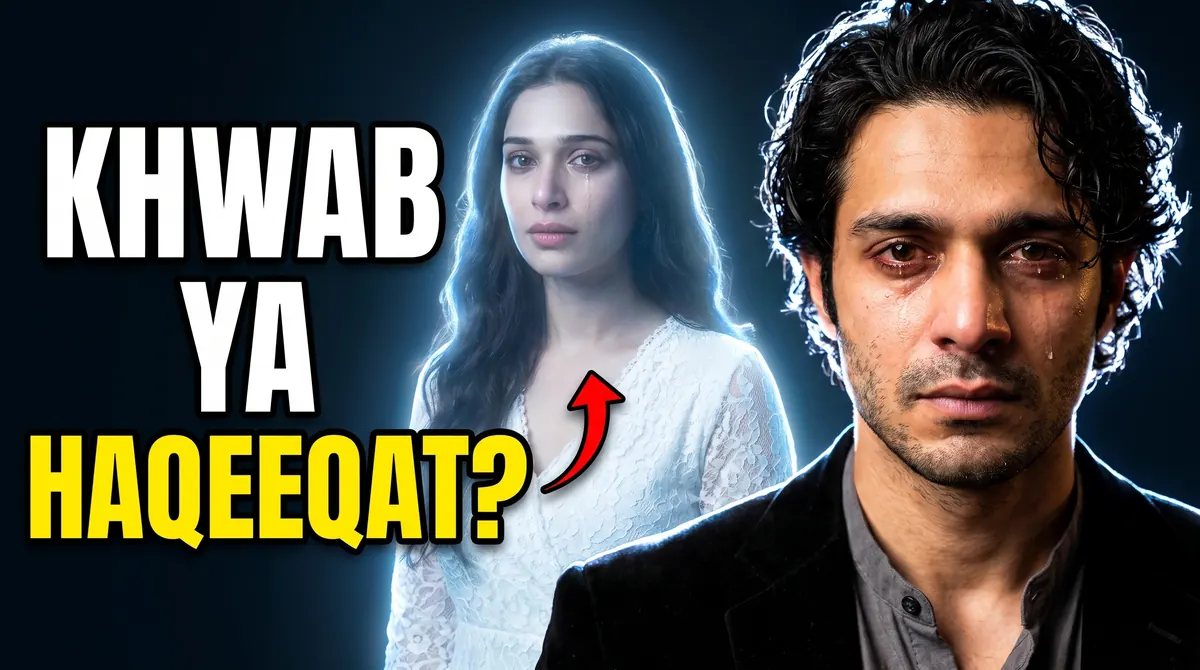
Here is what the video mode made from a Hindi ghazal music video, Mulaqat. Same video, same moment-reading — three different styles.
Which style suits which video?
| Style | What it looks like | Works best for |
|---|---|---|
| Cinematic Poster | Layered film poster, calligraphy title, tagline | Songs, short films, stories |
| Bollywood Drama | Emotional close-up, golden glow, big title | Romantic and sad songs, drama |
| Big Reaction | Huge face, bold two-line hook, red arrow | Vlogs, challenges, reactions |
| Breaking News | Red and yellow bars, big headline | News, finance, explainers |
| Before / After | Split frame, the change at a glance | Tutorials, makeovers, results |
| Podcast Clip | Two faces and a big quote | Podcasts and interviews |
| Devotional | Golden divine light, diya, a calm title | Bhajans, aartis, katha |
| Clean Tech | The product big, one bold word | Reviews and unboxings |
You don't have to remember this table — the AI suggests the styles that fit when it reads your video. But if a suggestion doesn't feel like your channel, swap it.
Tips for a thumbnail people click
- Pick a moment with a clear face and a clear emotion. Joy, shock, tears — the face does half the work at small size.
- Keep the hook to three words or fewer. On a phone, a thumbnail is about the size of a stamp.
- Use the language your viewers search in. A Hinglish hook on a Hindi video often reads more naturally than English.
- Check it at feed size before you download. If you can't read the text at that size, neither can your viewer.
- Keep your logo small and in the same corner every time. Consistency is what makes a channel recognisable in a crowded feed.
- Show what is really in the video. A thumbnail that promises something the video doesn't deliver costs you the next click.
Frequently asked questions
Is my video uploaded? Not when you choose a file — only 16 small frames are sent, and the video stays on your device. A YouTube link has to be public; AI reads it from YouTube.
Can I use an unlisted or private video? For a link, use a public video. For anything not public yet, choose the file instead — that works before you publish.
How much does it cost? The AI Thumbnail Maker is part of Tooljin's Pro and Business plans. Reading a link costs 50 credits and a file 10; a picture of another moment from a link costs 25; each thumbnail costs 50, 75 or 125 credits depending on quality.
Can the text be in Hindi? Yes. Hooks and taglines are suggested in your video's language, and you can type your own — including Devanagari.
Can I make a Shorts cover too? Yes. Choose 9:16 before generating; faces and text are kept clear of the areas where the app's buttons sit.
Ready to try it? Open the thumbnail maker in video mode and start from the video you already made. And if it's a Short, you can add Hindi or Hinglish captions in a few minutes too.