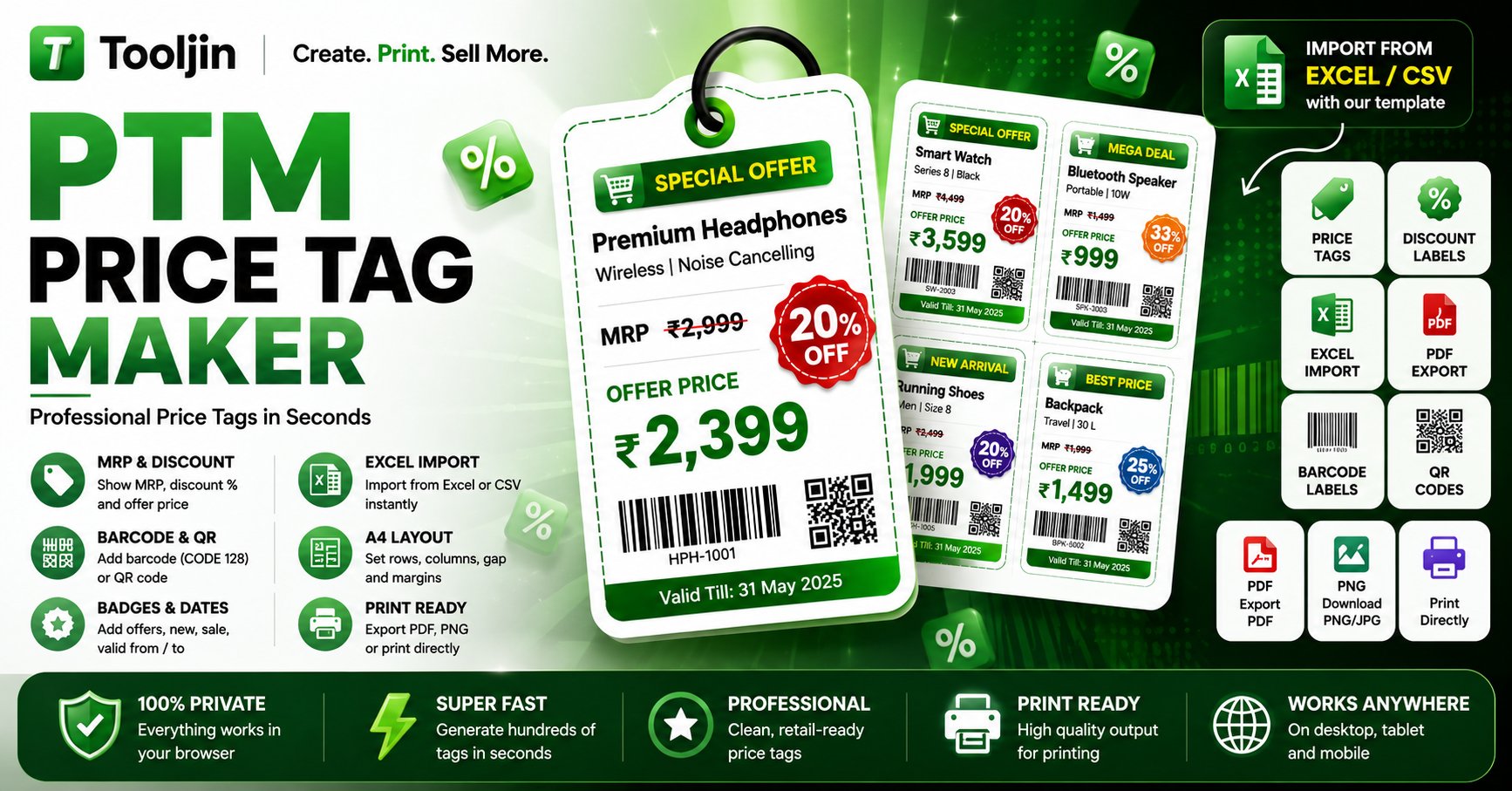
Create professional retail price tags and shelf labels with MRP, discount & offer price, custom SALE / SPECIAL OFFER badges, barcode + QR and valid-till. Bulk-import your products from Excel or add them manually, lay them out on A4, preview in a grid, and print or download a crisp PDF.
From product list to print-ready sheet in three steps — no design skills needed.
Import a product list from Excel or CSV with the built-in template, or add price tags one by one in Manual mode with price, discount and details.
Pick one of six styles, set columns & rows on A4, choose a currency, and add MRP, discount, offer price, custom badge ribbons, valid-till, barcode and QR.
Export a print-ready PDF of every page, high-resolution PNG/JPG, or print straight to your label sheets — free, no watermark.
Built for Indian retail, kiranas, supermarkets and online sellers.
Enter the MRP and a discount %, and the tag shows the struck-through MRP, the offer price, MRP / Offer Price labels and a starburst "X% OFF" seal automatically.
Download the template, fill in products, subtitles, prices, discounts and valid-till dates, then upload the file to generate every tag at once — no retyping.
Put a CODE 128 barcode and a QR code on the same tag from each product's SKU/ID — perfect for fast billing and stock scanning.
Control columns, rows, margins and gap, preview every page in a grid, and print each product on its own page.
Six tag styles, accent colours, custom badge ribbons (SALE, SPECIAL OFFER, MEGA DEAL…), valid-till, mfg & best-before dates and an "Inclusive of all taxes" line.
Everything runs in your browser — your price list never leaves your device, with no watermark on your tags.
Tooljin also builds AI tools for e-commerce sellers — turn the same products into ready-to-publish Amazon listings, lifestyle product images and content, while your price tags stay free.
Explore seller toolsFrom shelf to storefront — price, list and market every product in one place.
A free tool that behaves like a paid one.
| Feature | Tooljin | Typical online makers |
|---|---|---|
| Price | Free · Pro for unlimited | Free tier + paid limits |
| Watermark | Never | Often on free plan |
| Import from Excel/CSV | Yes | Rarely |
| MRP, discount & offer price | Automatic | Manual |
| Barcode & QR | Built in | Limited |
| Your data | Stays in your browser | Often uploaded |
Yes — it's free to design as many price tags and pages as you like, with no watermark. Free accounts can download up to 5 sheets a day; sign in to download, or upgrade to Pro for unlimited downloads.
Yes. Download the built-in template with columns for name, subtitle, price, discount, unit, SKU, dates and valid-till, fill it in, then upload the Excel or CSV file to generate every tag at once.
Enter the price (MRP) and a discount %. Each tag automatically shows the struck-through MRP, the calculated offer price, optional MRP / Offer Price labels and a starburst "X% OFF" seal.
Yes. Turn on Barcode and QR and the tool puts a CODE 128 barcode and a QR code on the same tag, generated from each product's SKU/ID.
Yes. Type any badge text or pick a ready ribbon like SALE, SPECIAL OFFER, MEGA DEAL, NEW ARRIVAL, BEST PRICE or COMBO, shown as a full-width ribbon with a cart icon.
Yes. With Separate page per product on, every product's tags start on a fresh page — handy when you print and sort labels by product. Turn it off to pack all tags tightly.
You control the columns, rows, page margin and gap on A4, and can preview all pages in a grid, so your tags match standard label sheets or your own cutting layout.
Use Print for a true vector PDF (choose Save as PDF), or Download PDF / PNG for a high-resolution file. Both are watermark-free.
No. Everything is generated entirely in your browser — your product list and prices never leave your device.
Yes, in any modern browser — though a larger screen makes designing label sheets easier.
Everything you need to price, label and sell — in one place.
Free, private and print-ready — no signup, no watermark.
Open Price Tag Maker